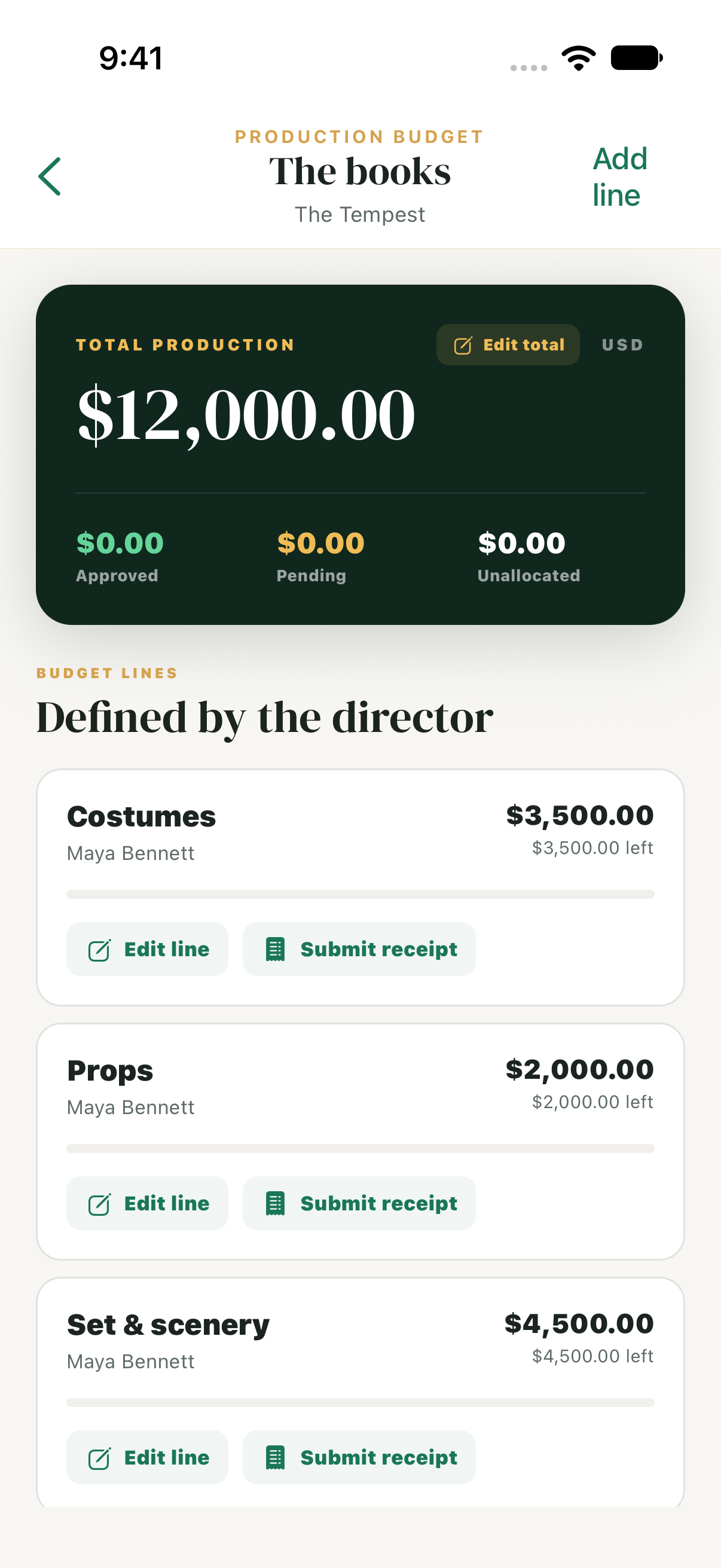
A total for the production
Start with the show’s overall budget. Keep the allocated, approved, and awaiting-review amounts together so production managers can follow the spending picture.
BUDGETS & EXPENSES PRO
Set the production total, divide it into the spending areas your show needs, and assign people to them. Keep expense submissions, receipts, and reviews inside Green Room Pro.
$29/month or $250/year per organization · Unlimited cast & crew
WHAT YOU CAN DO
Start with the show’s overall budget. Keep the allocated, approved, and awaiting-review amounts together so production managers can follow the spending picture.
Define the spending areas you need and assign production members to them. Organize a budget around your company’s responsibilities instead of a fixed set of departments.
Capture a receipt and record the expense against its budget area. Keep the purchase details with the submission instead of in a separate message thread.
Review submitted expenses, approve them, request changes, or reject them. Submitted and approved expenses count toward committed spending when calculating the remaining amount.
SEE IT IN GREEN ROOM
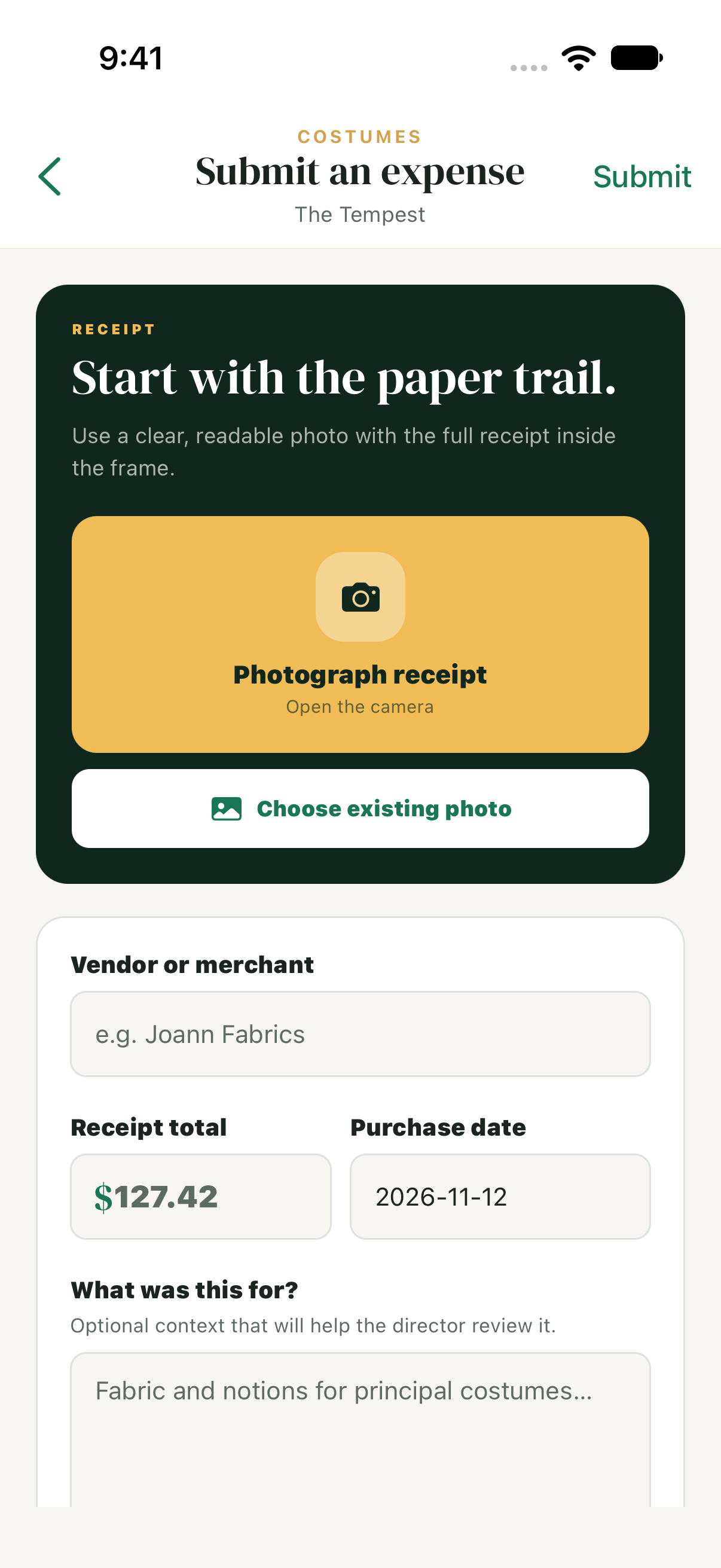
Assigned members can photograph or choose a receipt, enter purchase details, and submit the expense against their budget line for review.
FROM SETUP TO EVERYDAY USE
Open the production’s budget, enter the total, and create the spending areas the show needs.
Assign production members to budget lines so they can find the spending areas they are responsible for.
Record expenses with receipts, submit them for review, and return to the budget for approved and awaiting-review totals.
WHO CAN USE IT
Production managers set budgets, manage assignments, and review expenses. Assigned members see their spending areas and submissions. A Pro subscription covers the production’s organization; cast and crew do not need individual paid seats.
PRACTICAL QUESTIONS
Yes. Production budgets, shared assignments, receipt capture, and expense review are included in Green Room Pro at $29 per month or $250 per year per organization.
No. Create budget lines for the spending areas your production needs and assign production members to them.
Yes. Receipt capture keeps the supporting receipt with the expense submission and its budget area.
Production managers can review the submission and approve it, request changes, or reject it. The expense keeps its review status.
Submitted and approved expenses count toward committed spending. Draft, returned, and rejected expenses do not count toward the remaining amount in the same way.
CONNECTED TO THE REST OF THE SHOW
Workflow guides: Rehearsal conflicts · Stage management · School & youth theater